

There are three CSV files related to the keyboard and mouse:
- Raw Mouse Position and Clicks (Raw Gazes),
- AOI click count,
- Keyboard and Mouse Overall Stats per participant.
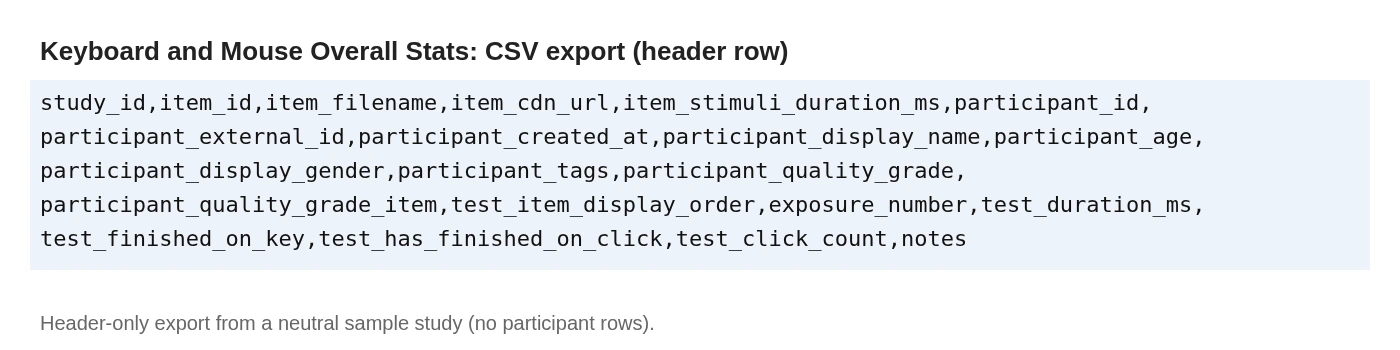
In the "Keyboard and Mouse Overall Stats per participant" CSV, there are the following fields:
- string study_id - UUID,
- string item_id - UUID,
- string item_filename - the name of your file, as it was named while adding to the study,
- string item_cdn_url - URL to the tested item saved on our servers,
- int item_stimuli_duration_ms - maximum display time allowed (set for images or the video length),
- string participant_id - UUID,
- string participant_external_id - (UUID) in case you provide one by connecting the study with an external tool, i.e. a survey,
- timestamp participant_created_at - when a participant provided the result,
- string participant_display_name - a name that a participant gives while asked about a name, gender, and age at the end of the study (if you have chosen that option), i.e., "Anna, Female, 27",
- int participant_age - participant's age given at the end of the study; could be undefined if the participant did not provide this info,
- string participant_display_gender - participant's gender given at the end of the study; could be undefined if the participant did not provide this info,
- string participant_tags - tags assigned to a participant (added by the study owner),
- int participant_quality_grade - participant's grade from 1 to 6 where:
- 1 = very low,
- 2 = low,
- 3 = average,
- 4 = good,
- 5 = very good,
- 6 = perfect;
- int participant_quality_grade_item - item's grade from 1 to 6 where:
- 1 = very low,
- 2 = low,
- 3 = average,
- 4 = good,
- 5 = very good,
- 6 = perfect;
- int test_item_display_order - number indicating the order in which the item was displayed for a given participant,
- int exposure_number - (only applicable for Website Mockup studies) indicates the time the participant saw an item, i.e., 1 means that the participant saw this item for the first time,
- int test_duration_ms - display of the item (equals approx. the item_stimuli_duration_ms value if there were no click or keypress),
- string test_finished_on_key - what key was pressed (and if any at all) to finish the item display (if the finish on click option was enabled),
- bool test_has_finished_on_click - TRUE (1) if the test was finished on click (see: item settings) or FALSE (0) if it wasn't,
- int test_click_count - how many clicks were made during the item display,
- string external_data_debug - all the external variables assigned to the participant (if applicable),
- notes - this column contains:
- RealEye version,
- timestamp of when the file was downloaded.
See the CSV file for the sample study:
API: https://www.realeye.io/docs/api#keyboard-and-mouse-data-export
Was this article helpful?